Daily development with several subscriptions
Code goes to the most accurate model according to Arena and the coding benchmarks; quick tasks go to the fastest one. You stop deciding out of habit.
ia-router sends each task to the model that performs best at that kind of work (Claude, Codex or Gemini) based on objective metrics from Arena and Artificial Analysis, not on the hunch of the day. It runs on the official CLIs and your own subscriptions.
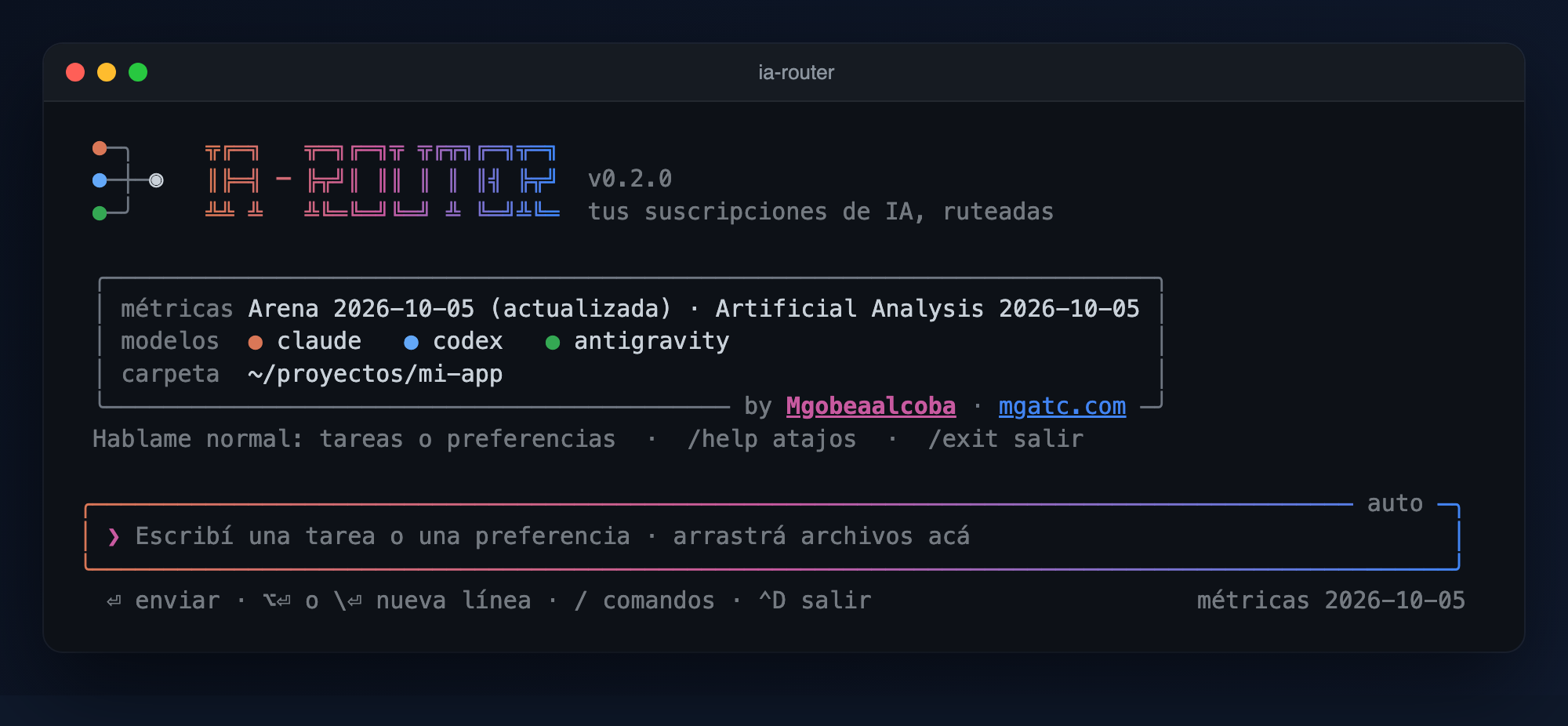
Every week a new model is “the best”. Without a common criterion, you decide out of habit.
You always use the same model until the rate limit, while the other two are left untouched.
What was true a month ago may not be true today, and nobody tells you what changed.
Code, debugging, writing, analysis, math, long context, images… by rules, spending no quota.
Accuracy (Arena Elo per category, with a margin of error), speed (tokens per second) and cost (price per million tokens), relative to your models.
If there is a rate limit or a missing login, it tries the next one. Each answer shows the exact model and the tokens it used.
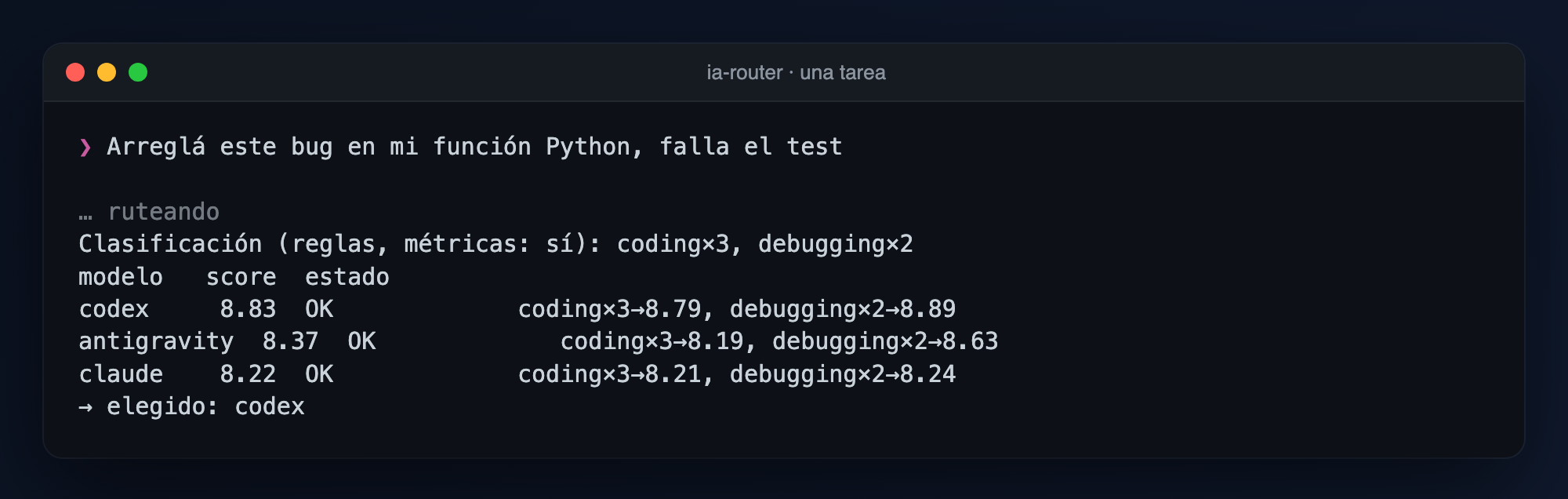
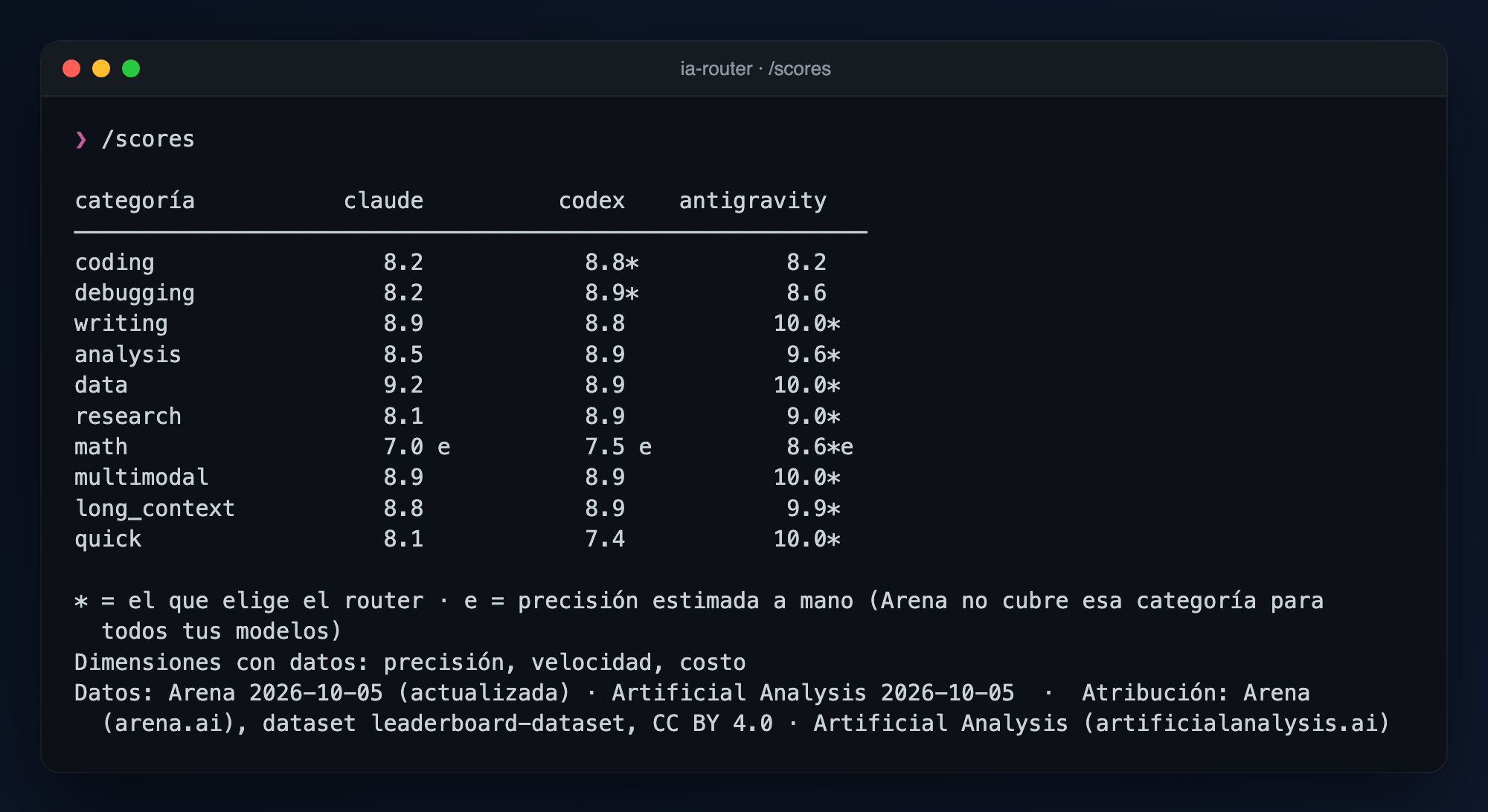
Everything is explainable: every number has its source in plain sight, and when you update the metrics you see what changed in the routing.
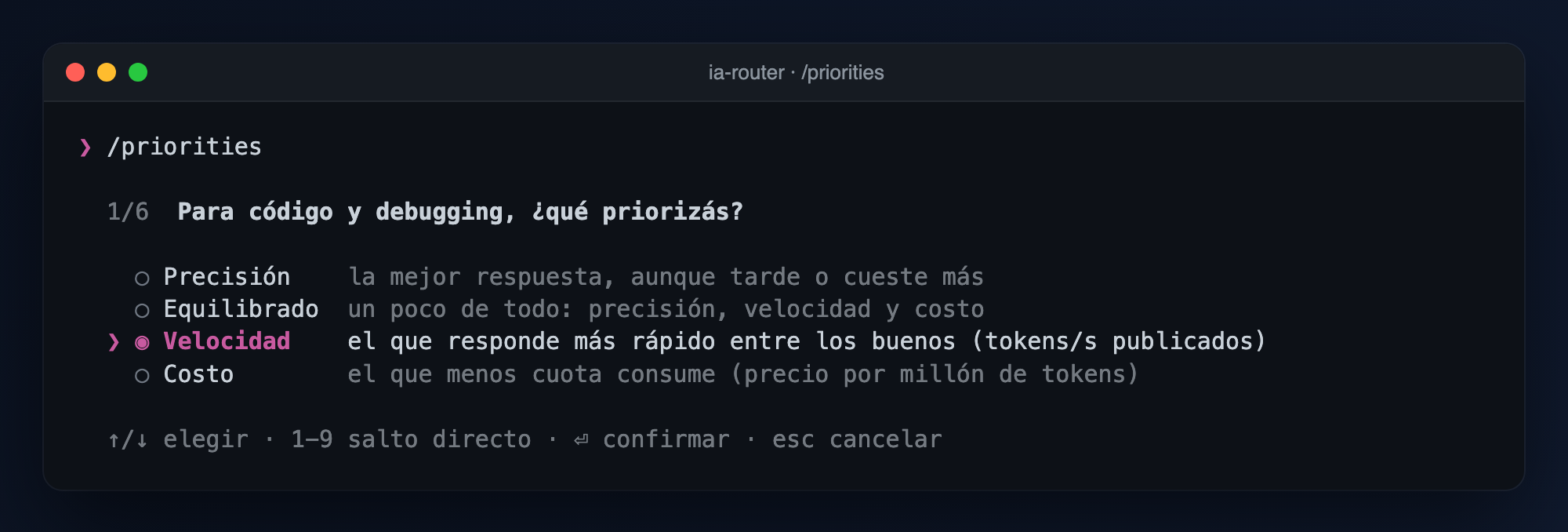
Code goes to the most accurate model according to Arena and the coding benchmarks; quick tasks go to the fastest one. You stop deciding out of habit.
For repetitive tasks you prioritize cost. The router spreads the work so the same model does not always run out while the others sit idle.
You drag code, images or PDFs onto the terminal. Text is appended as context; images and PDFs go only to the models that can open them.
For long context it looks at specific metrics (long-context reasoning and Arena long queries), not the overall average.
You register MCP servers once and any model uses them: summarize today’s emails, book a block on your calendar, query your CRM.
It registers as an MCP server: Claude Code can ask the router to send a subtask to the model that fits best.
An objective, reproducible criterion with cited sources to decide which model to use, instead of opinions.
Five multiple-choice questions, one per kind of task. With your answers the routing is rebuilt instantly, with nothing to configure by hand. If you prefer not to answer, sensible defaults apply.
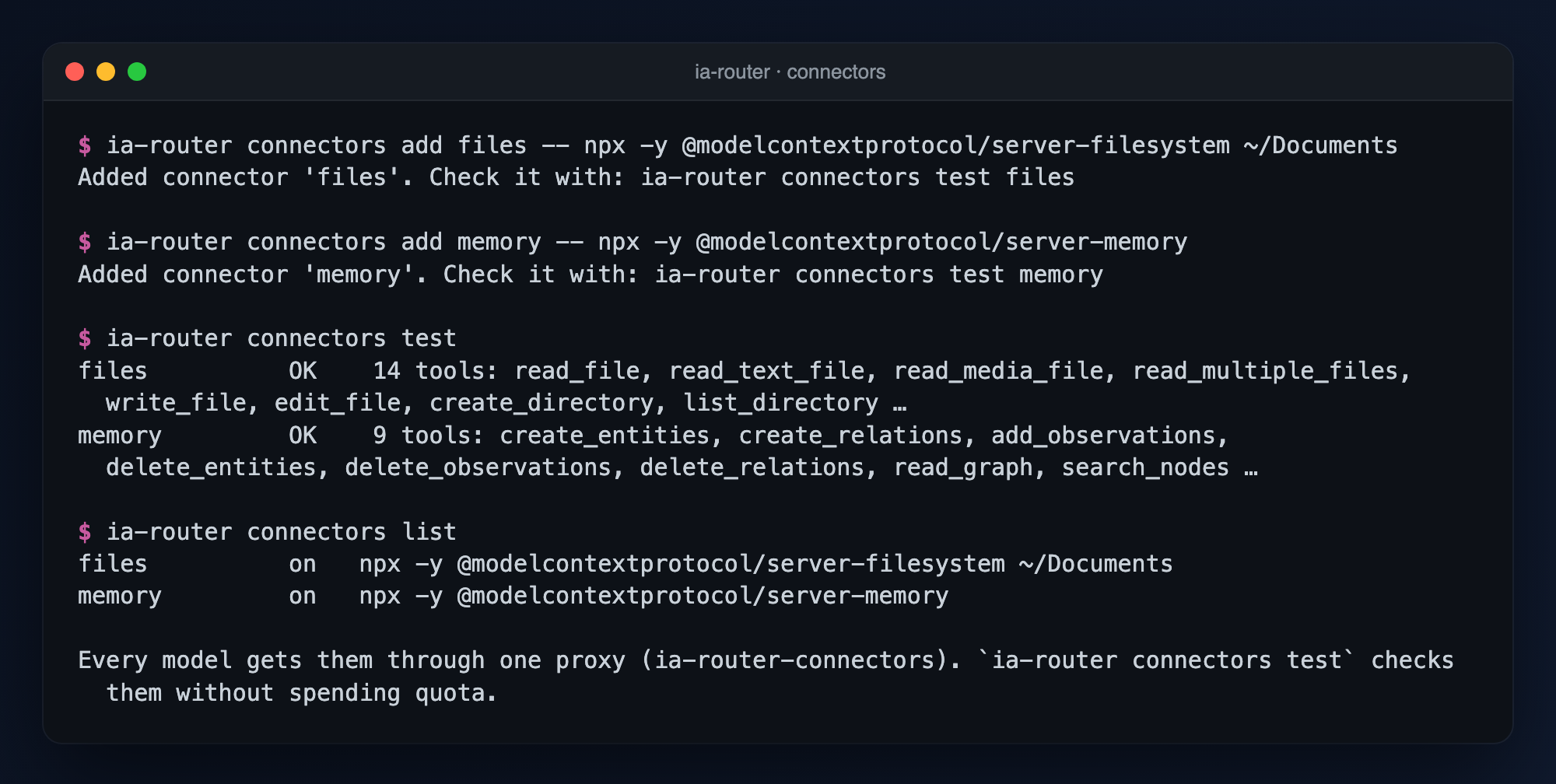
You register MCP servers once (Gmail, Calendar, Drive, Slack, GitHub, your CRM…) and the router hands them to claude, codex and agy through a single proxy. One place for permissions, audit and credentials, with whichever model.
ia-router connectors add files -- npx -y @modelcontextprotocol/server-filesystem ~/DocumentsUse the MCP server of the app you want; its documentation explains how to log in.
ia-router connectors testia-routerWith connectors registered, every task uses them; /connectors off turns them off. For agy, once: ia-router connectors install agy.
It never touches OAuth tokens: each CLI uses its own session and its own subscription.
It never turns on flags that disable the CLIs’ permissions.
Arena (CC BY 4.0) and Artificial Analysis, with attribution and date on every screen.
Only the Python standard library (3.9 or higher). A lightweight install.
It ships with the latest Arena snapshot; updating is optional and visible.
Public code on GitHub under Apache-2.0: use it and modify it, keeping the attribution to the author.
Tested on macOS; it has no system dependencies, so it should also work on Linux. It requires Python 3.9 or higher. You also need at least one of the official CLIs installed and logged in (claude, codex or agy): the router does not install them for you.
Option A · Homebrew
brew install Mgobeaalcoba/tap/ia-routerOption B · pipx (or pip)
pipx install ia-routerpython3 -m pip install --user ia-routerDo not have pipx? brew install pipx && pipx ensurepath on macOS, or python3 -m pip install --user pipx on other systems.
ia-router --versionia-router doctordoctor shows which CLIs you have installed and which model each one uses, spending no quota. If it says command not found, run pipx ensurepath and open a new terminal.
ia-routerThe first time it checks which CLIs you have installed and gives you the exact step for any that are missing; then, before spending anything, it detects which model each one uses and, if the metrics are old, offers to update them.
Create a free key at artificialanalysis.ai and save it in a .env file:
mkdir -p ~/.ia-router && echo 'ARTIFICIAL_ANALYSIS_API_KEY=your_key' > ~/.ia-router/.envia-router metrics refreshHomebrew: brew upgrade ia-router · brew uninstall ia-router
pipx: pipx upgrade ia-router · pipx uninstall ia-router
pip: python3 -m pip install -U ia-router · python3 -m pip uninstall ia-router
Uninstalling does not delete your data (~/.ia-router).
No. ia-router is free, open-source software (Apache-2.0). You use your own Claude, Codex and Antigravity subscriptions; the router adds no cost.
No. Each task runs in the official CLI you are already logged into. The router only reads public Arena pages and, if you turn on the free key, queries the Artificial Analysis API. The local log does not store your prompts.
If you use macOS with Homebrew, option A (brew install Mgobeaalcoba/tap/ia-router) is the simplest. In any other case, pipx install ia-router. Both install the same program and are updated and uninstalled independently.
The three official CLIs: claude (Claude Code), codex (OpenAI Codex) and agy (Antigravity, from Google). One installed is enough, although it splits work better with several. Others can be added by editing a configuration file.
Accuracy comes from Arena (human preference in blind comparisons, with style control and a margin of error) and, with a key, from correct-answer benchmarks by Artificial Analysis. Differences that fall within the margin of error reward nobody, and every score shows its sources.
The software ships with the latest Arena snapshot, so it works offline. On startup, if the metrics are more than 7 days old, it offers to update them and shows you every step and what changed in the routing. Nothing is queried unless you ask.
It works with just one, although everything will go to that model. The first time you open the chat, if a CLI is missing or you are not logged in, it shows a table and the exact step for each one (install and log in). You can repeat it any time with /setup or ia-router setup, and optionally check the logins (one minimal query per CLI, always asking first). The router installs nothing and never logs in for you.
Connectors are MCP servers (Gmail, Calendar, Slack, GitHub…) that the router hands to any model. Each server does its own login: the router never touches your tokens. By default they can read and write, so a model could send an email if you ask it to; you can hide tools with allow/deny lists or turn them off with /connectors off. Every call is recorded in a local log without arguments or results.
The interface and the documentation of the program are in English. The task classifier understands tasks written in English and in Spanish.
Install it, open it and see what it picks for each kind of task and why. If you want this criterion for your team, let’s talk.